Gatherly
Video calls on your own website
Gatherly puts video calls on your ClearFlow website: groups with a waiting room, breakout rooms, screen sharing and chat, in your own colours and fonts. People join from a page or from a link you send them, in their browser: no app and no account. The calls run on your own meeting server (the open-source Jitsi engine), so nothing goes through anyone else.
You lead the call
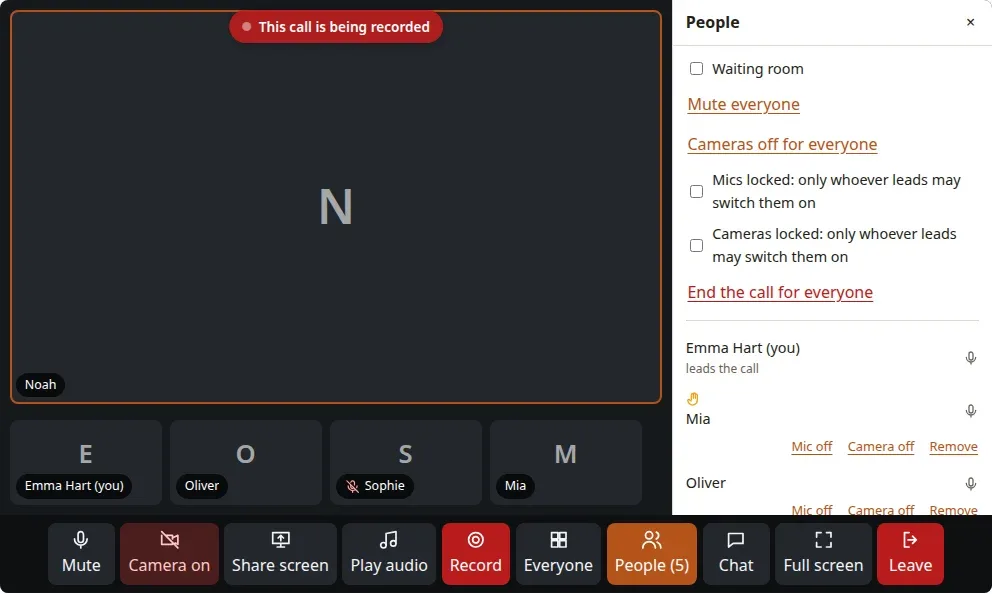
Whoever leads the call lets people in from the waiting room, mutes everyone or one person, turns cameras off and can lock them, sees raised hands and gives someone the floor, divides people over breakout rooms and ends the call for everyone. Play a sound file into the call in music quality, and record the call on your own computer, straight into a folder you choose; everyone sees that it is being recorded.
Set up in ClearFlow
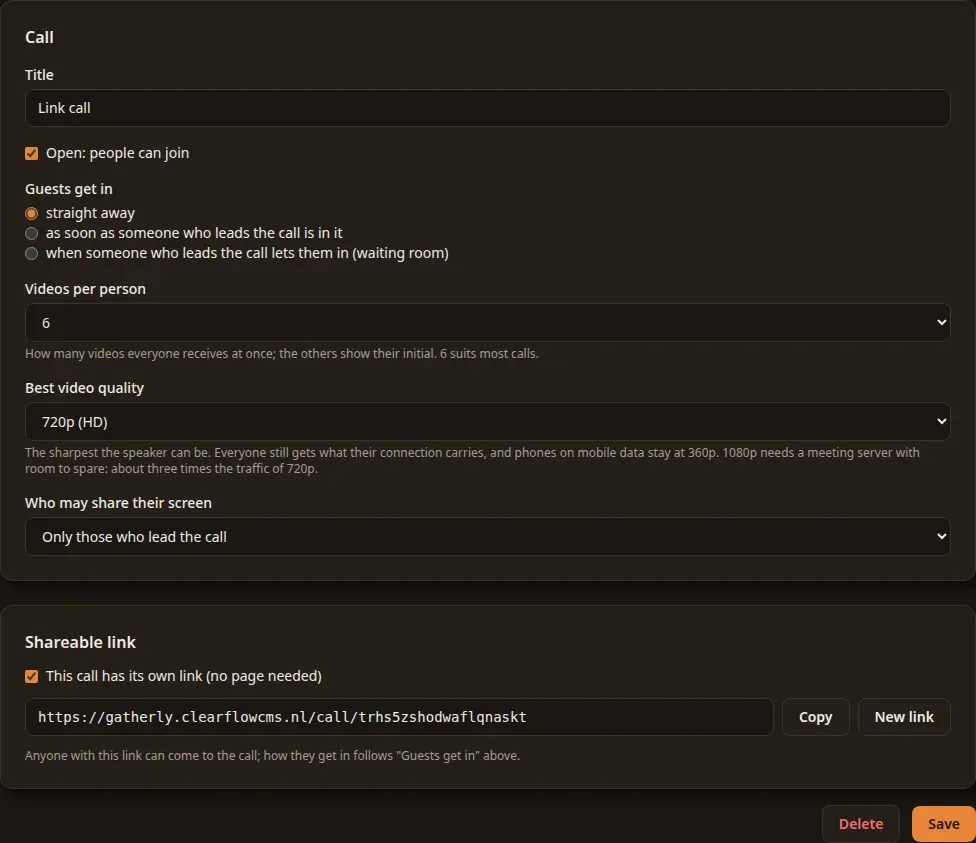
A call is a few choices: how guests get in (straight away, once someone who leads it is there, or through the waiting room), how many videos everyone receives, the best video quality and who may share their screen. Put it on a page with the Video call block, or give it its own link to send to the people you invite.
Your own meeting server
Hostward installs the meeting server on your own server, and Gatherly connects to it with one click. Nobody else sees your calls, and there is no fee per minute or per participant.
Who it's for
For coaches, therapists, teachers and clubs who meet online: one-to-one sessions, group sessions, courses and meetings, on their own website instead of someone else's platform.
Works with
ClearFlow CMS: installed under Settings → Modules; the Video call block puts a call on any page. A meeting server: Hostward sets one up on your own server.
Price and status
Available. €999 once, or €1,799 with a year of updates, per installation; bought from within ClearFlow. Security updates are always free.