ClearFlow CMS
A website you run yourself
ClearFlow is a CMS for your own server: you build your website in the browser, without code, and everything stays yours. It's free and open source (GPLv3), and runs on ordinary PHP hosting with MySQL or MariaDB. You install it in the browser. The screenshots below show a made-up website, Atelier Vos.
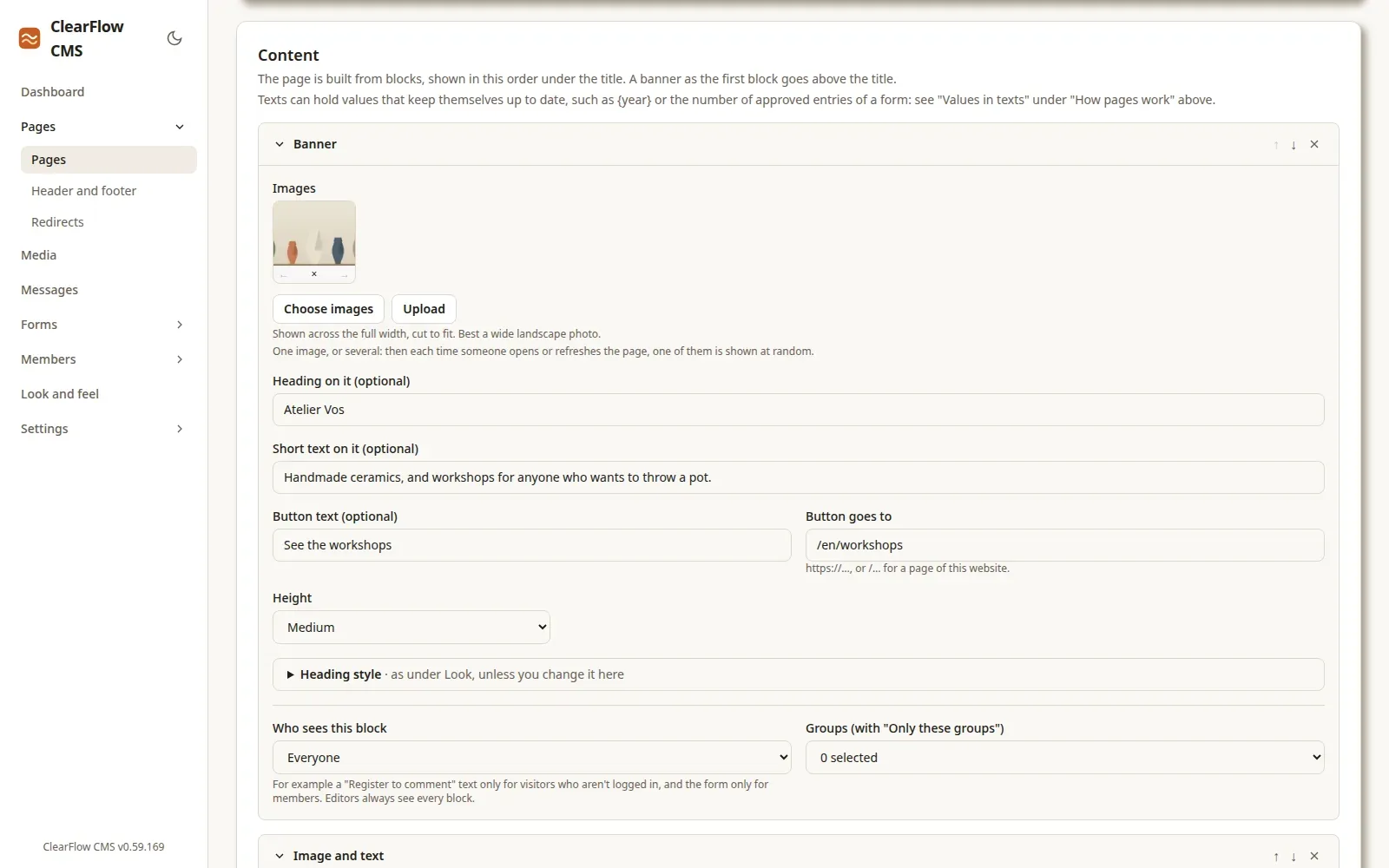
Pages made of blocks
A page is a row of blocks: text, image, image with text, gallery, banner, button, columns, video, questions and answers, a contact form, your own form and its entries. Put them in the order you want; a preview shows the page as your visitors will see it.
Every block can get its own heading and text style, and you choose who sees it. Buttons come in five sizes, also inside any text.
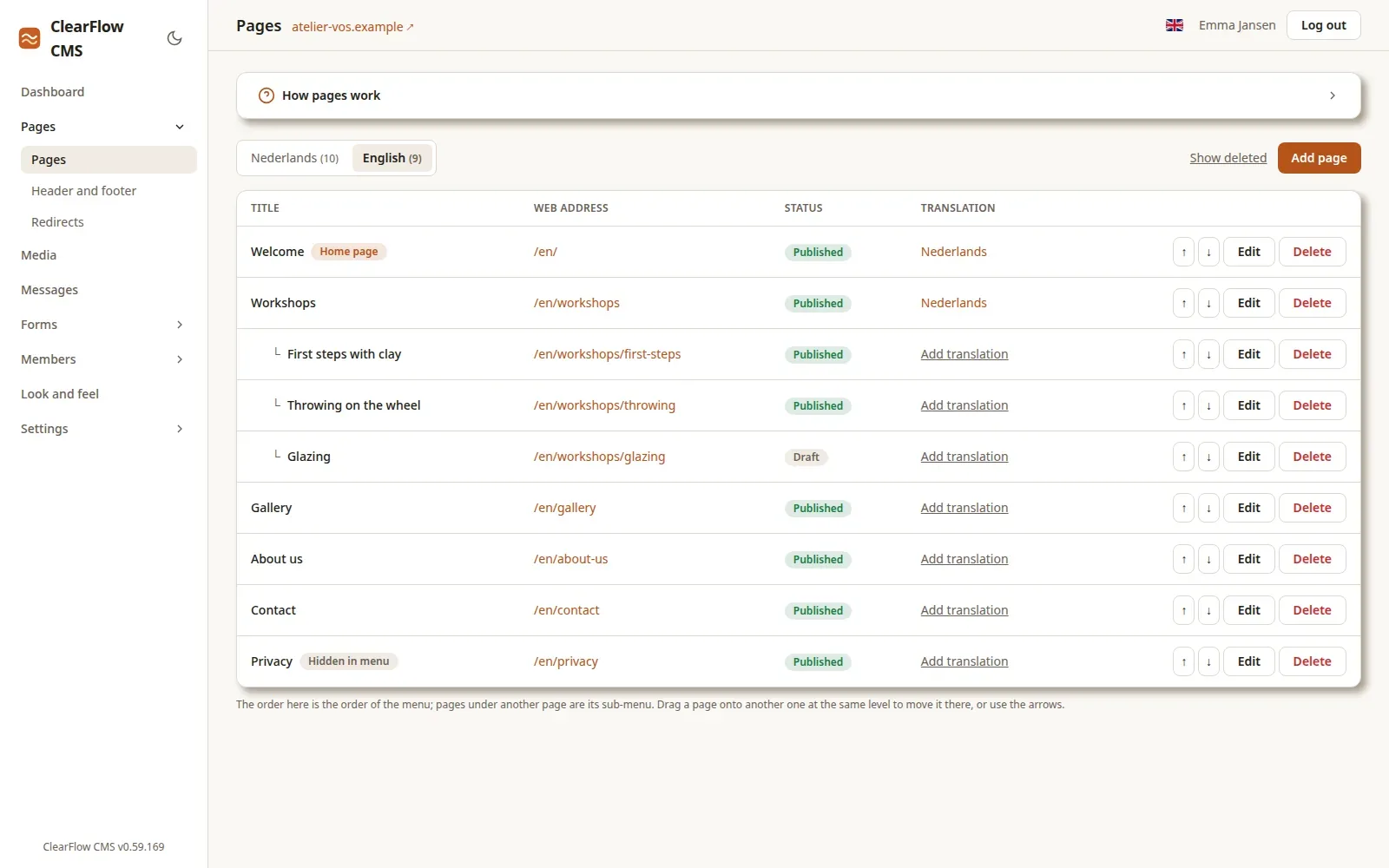
Your menu at a glance
The list of pages is your menu: drag a page to move it, put pages under another one for a submenu. Drafts stay hidden until you publish them, a page can have a password, and each page is linked to its translation.
Change an address and the old one keeps working: ClearFlow makes the redirect for you. A deleted page can be restored.
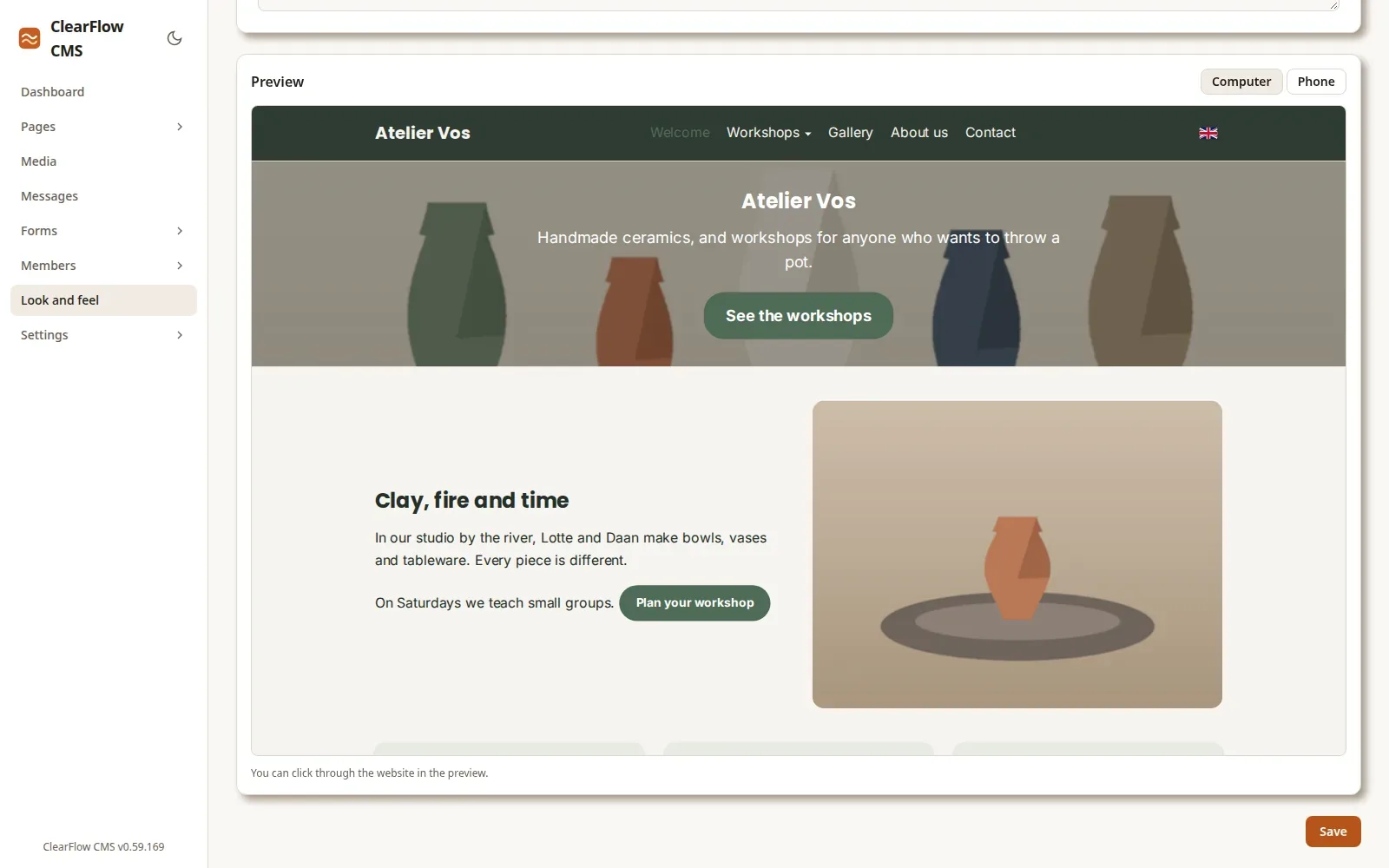
Your look, live
Colours, fonts, text size, the width of the page, buttons, images, boxes, the header and the footer: you set them once for the whole website, and the preview shows every change straight away, on a computer and on a phone.
Visitors see nothing until you save. For the rest there's room for your own CSS.
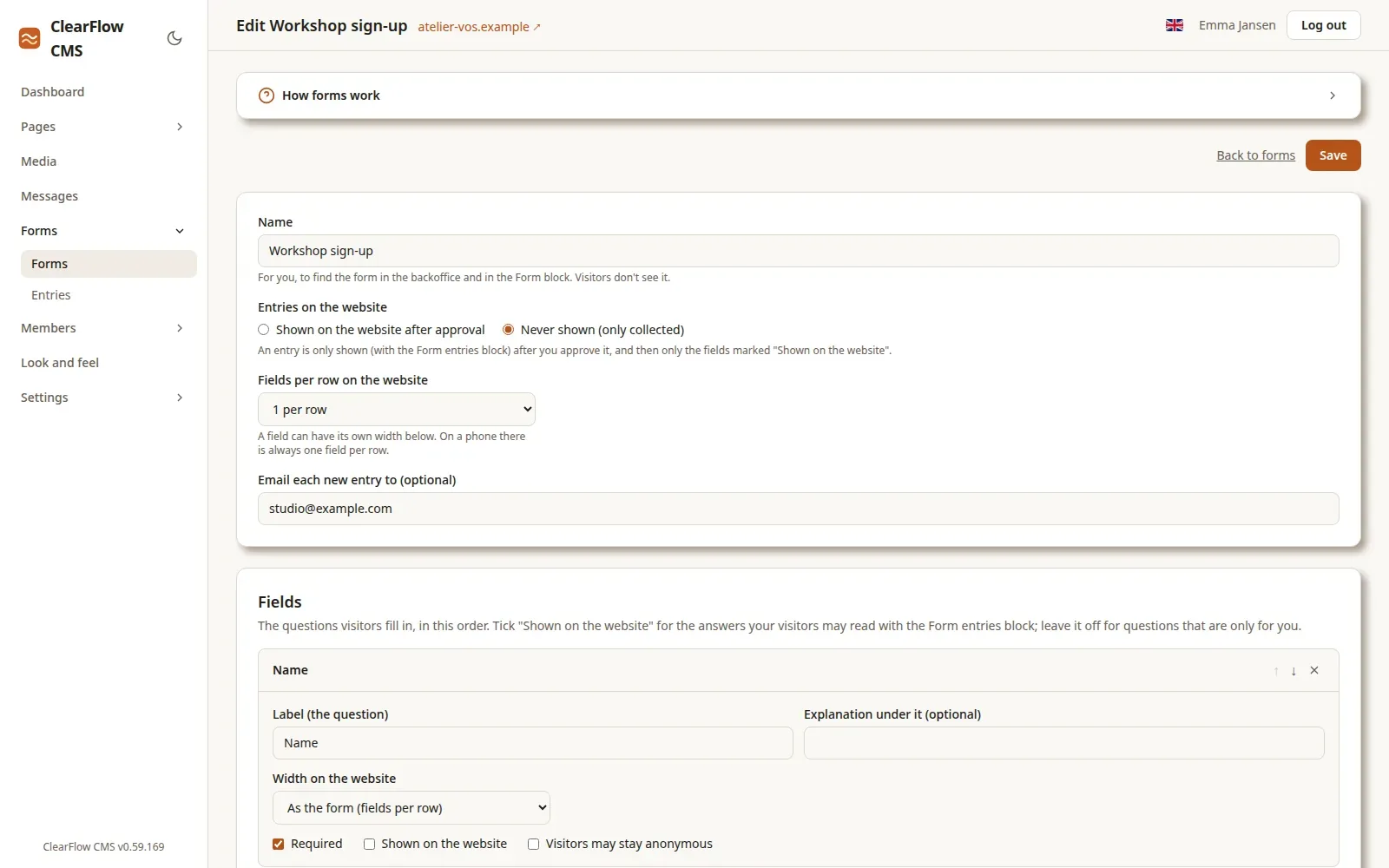
Forms you make yourself
Make your own forms with the fields you need: short and long text, email, phone, stars, yes or no, and choices. For sign-ups, questions or reviews.
Entries arrive in the backoffice and by email. Put the approved ones on your website, such as reviews with their stars, and count them in your texts.
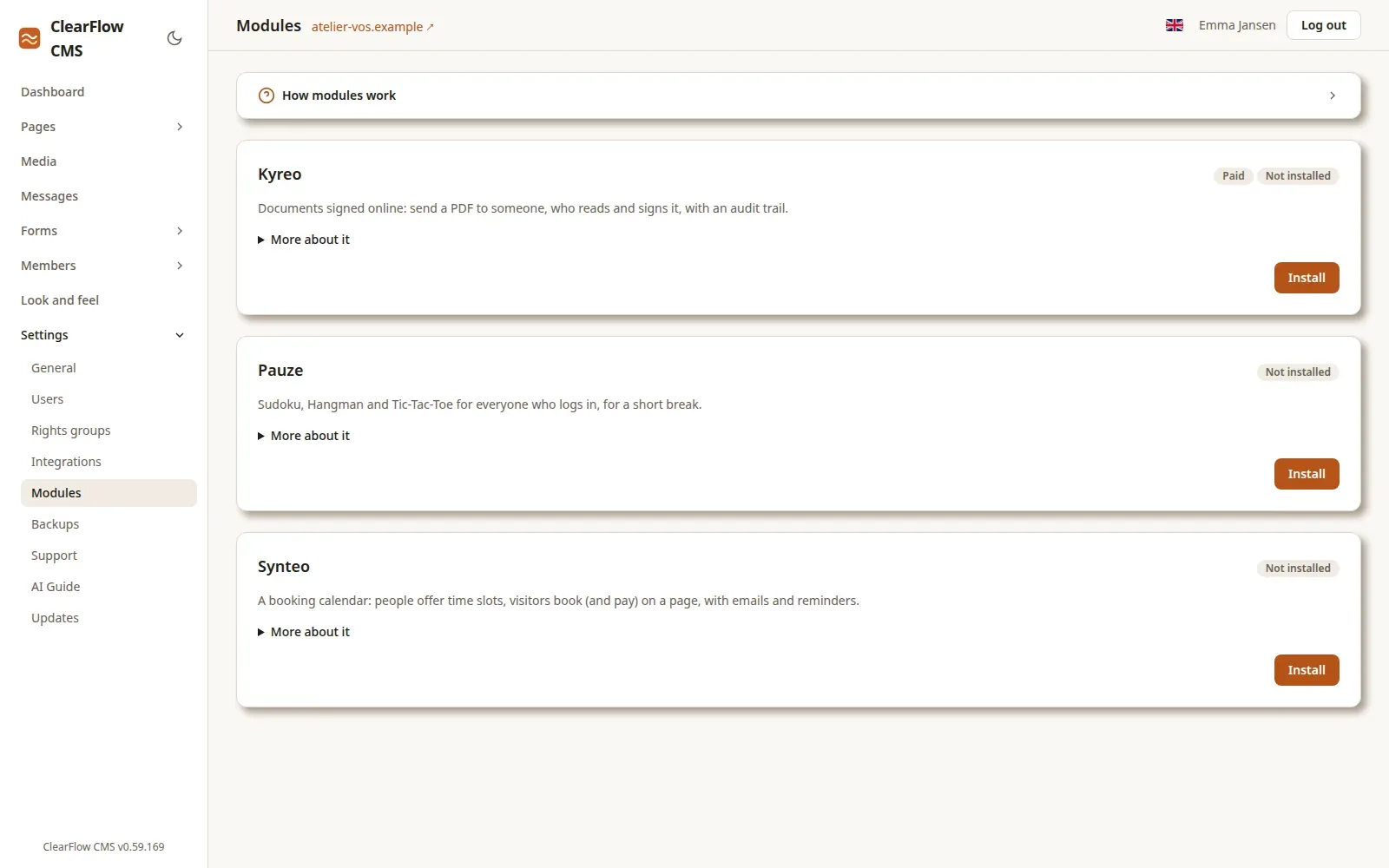
Modules when you need them
Add a module from within ClearFlow with one click: Synteo for bookings on your own pages, Pauze for a few games, Kyreo for signing documents online.
Our other apps plug in as blocks: a Merxo order form, Paideo courses, Doxeo polls and questionnaires, and LeanTrack tickets.
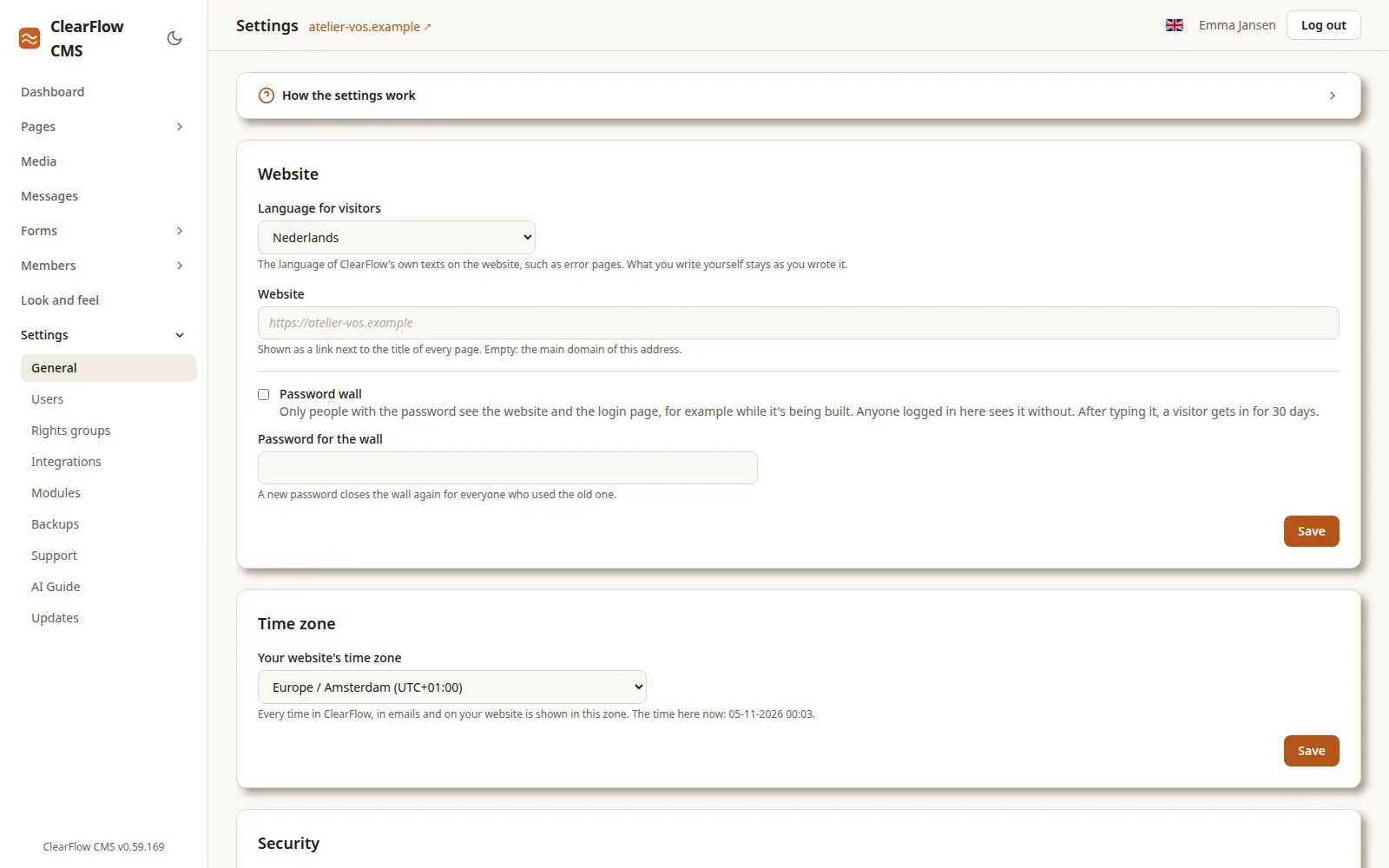
All settings in one place
The language for visitors, a password wall while your site isn't open yet, the time zone, email, users with their own rights groups, backups and updates: all under Settings, each with a short explanation of how it works.
An AI Guide tells an AI assistant how your ClearFlow works, so it can help you with it.
Members area
Visitors register and log in with a link by email. Pages and blocks can be for members or for some groups only, and members find their courses and questionnaires under My account.
Two languages
English and Dutch, each with its own pages, linked to each other. Visitors get their own language.
Media
A media library with folders for images, video, audio and files, with free photos from Pixabay.
Found by search engines
A title and description per page, an image for sharing, a sitemap, and redirects for old addresses.
Safe and kept
Two-step login, users with their own rights, a backup every night, and a password per page or for the whole site.
Updates itself
You install new versions with one click from within ClearFlow, signed and checked. See Updates.